Google Business Profile management for local businesses
Stop losing customers to a Google profile that looks forgotten.
Wrong hours, unanswered reviews and months without a post send people to the business down the road. Biz on Maps drafts your review replies, posts and profile fixes, checks your Google Maps ranking and AI search visibility, and you approve each one in a tap.
Works with Google Maps, Google Search and AI assistants like ChatGPT and Gemini.
Corner Bakery
Bakery · High Street
Open · Closes 6 pm
DirectionsCallBook
New review answered“Thanks Priya, see you Saturday!”
Post scheduledWeekend sourdough · Thu 9:00
Holiday hours fixedUpdated on Google after you approved
Map check ready“bakery near me” across 25 points
Example
What a stale profile costs
Customers decide on your Google listing before they ever meet you
Most people choose from the map: who looks open, trusted and active. A neglected Google Business Profile quietly hands those calls, direction requests and bookings to a competitor.
They call whoever looks open
If Google says you're closed, nobody checks. They ring the next listing.
An unanswered 2★ review does the talking
New customers read your silence as the answer.
Old photos and no posts read as “gone quiet”
A listing that hasn't changed in a year looks like a business that hasn't either.
AI assistants recommend someone else
When people ask ChatGPT or Gemini for a local pick, they lean on the same facts. Thin facts, no mention.
New photos this week
Corner Bakery
Bakery · High Street
Open today · 7 am – 6 pm (holiday hours set)
Every review answered, including the 2★ one
Post this week: weekend sourdough
Menu, booking link and services up to date
Last photo: 2 years ago
Corner Bakery
Bakery · High Street
Shows “Closed” on Sunday: you're open
2★ review from March: no reply
No posts yet
Website link goes to an old page
NeglectedLooked after
Same business, two ways. Drag to compare. Illustration
How it works
A local SEO routine that keeps going, with you in charge
Five steps from a forgotten listing to one that wins the call. Set up once; after that it's a few taps a week.
1
Connect Google in a click
Sign in with the Google account that manages your business. It uses Google's official connection, so you never share a password.
Connect
Corner Bakery
High Street
Connected to Google
Official Google sign-in. We never ask for your password.
2
We spot what's costing you customers
Wrong hours, unanswered reviews, a quiet posting history, stale photos, missing services: everything a customer would notice, in one list.
What needs doing
Sunday hours say “Closed”
3 reviews waiting for a reply
No post in 6 weeks
No photos since last spring
Not named when someone asks an AI assistant for a bakery nearby
3
Replies, posts and fixes, drafted in your voice
Each draft mentions what the customer actually said and sounds like you. Posts come with an image. Fixes show exactly what will change.
Drafted in your voice
Reply to Priya (4★)
Thanks Priya, and sorry about the hours. They're fixed, so see you on Saturday.
Post · Thursday
Fresh sourdough every Saturday from 8 am. Come early, it goes fast.
Profile fix
Sunday: 9 am – 2 pm
4
You approve in one tap
Approve, edit or skip from your phone. Low ratings always wait for you, and nothing is posted to Google until you say so.
Your approval
“Thanks Priya, and sorry about the hours. They're fixed, so see you on Saturday.”
ApproveEdit
Nothing reaches Google until you say so.
5
Watch your map ranking and AI visibility
Check where you appear on Google Maps across your area and whether AI assistants name you for the questions that matter.
Watch it work
3224621124211133112453236
Map check for “bakery near me”
Named by an AI assistant: yes
Biz on Maps · Corner BakeryExample
Connect
Corner Bakery
High Street
Connected to Google
Official Google sign-in. We never ask for your password.
What needs doing
Sunday hours say “Closed”
3 reviews waiting for a reply
No post in 6 weeks
No photos since last spring
Not named when someone asks an AI assistant for a bakery nearby
Drafted in your voice
Reply to Priya (4★)
Thanks Priya, and sorry about the hours. They're fixed, so see you on Saturday.
Post · Thursday
Fresh sourdough every Saturday from 8 am. Come early, it goes fast.
Profile fix
Sunday: 9 am – 2 pm
Your approval
“Thanks Priya, and sorry about the hours. They're fixed, so see you on Saturday.”
ApproveEdit
Nothing reaches Google until you say so.
Watch it work
3224621124211133112453236
Map check for “bakery near me”
Named by an AI assistant: yes
Everything in one place
Review replies, Google posts, profile fixes and rank tracking
One subscription replaces the spreadsheet, the reminders and the guilt.
Example
Review replies that sound like you
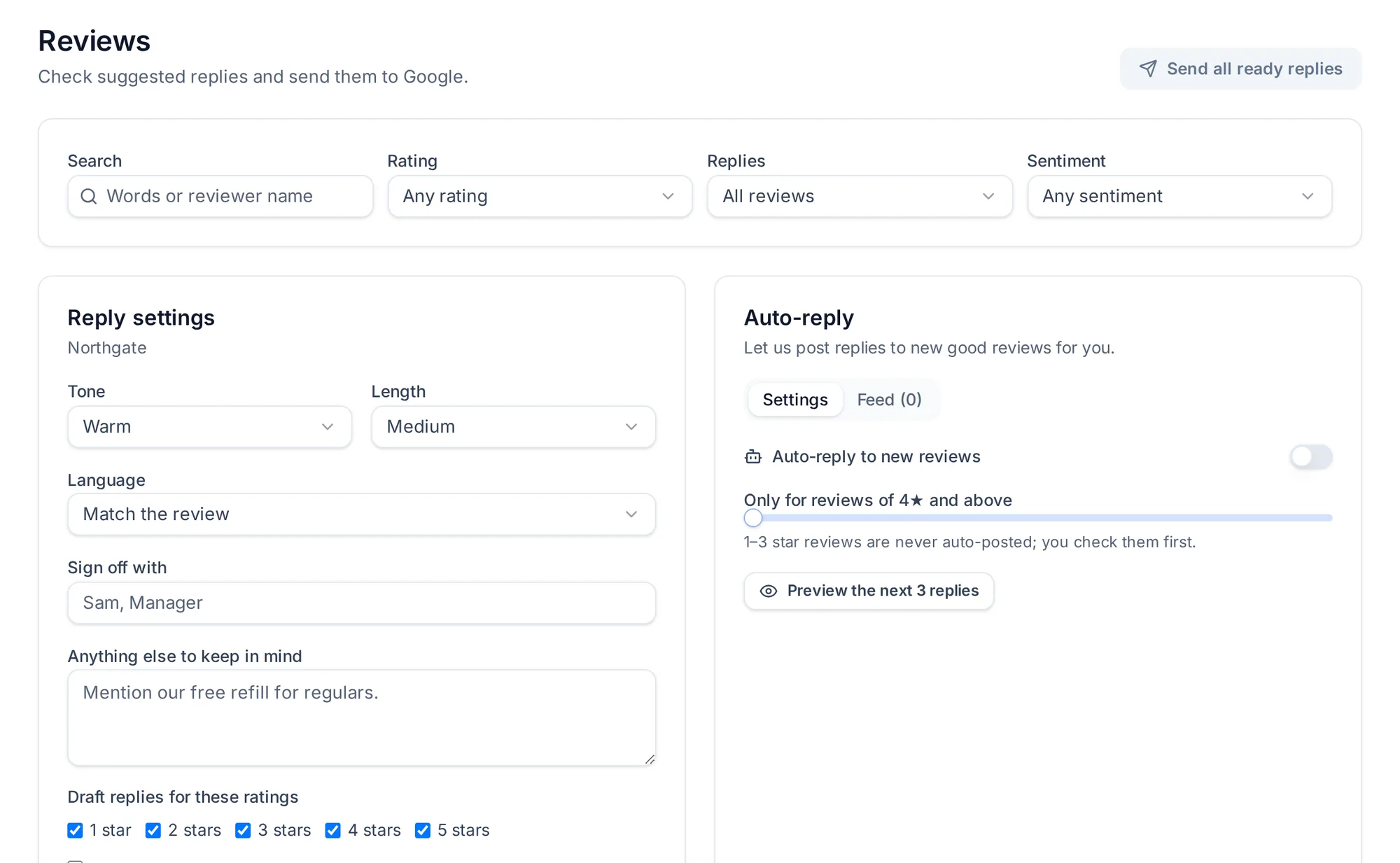
A thoughtful draft for every new Google review, in your tone. Good reviews can go out on their own if you choose; 1–3★ always wait for you.
Customers often search by neighborhood or ZIP code, so your service area and hours matter as much as your category.
Federal holidays like Memorial Day, July 4 and Thanksgiving are when stale hours cause the most wasted trips.
Many owners run two or three locations across one metro area and need each profile kept separately.
Pricing here: Prices in GBP. No VAT is charged.
A typical week
Example
An HVAC contractor covering several suburbs
Summer calls are up, the profile still lists winter hours, and six reviews from the last fortnight have no reply.
1Update the hours and confirm the service-area list in one approval.
2Read six drafted replies, edit the two that mention specific jobs, approve all six.
3Run a map position scan for “AC repair” to see which suburbs you show up in today.
Map scans show where you appeared at that moment from those points. They are not a forecast. Real customer stories appear only with the customer's approval.
It reads your connected Google Business Profile, shows what needs attention (unanswered reviews, out-of-date details, posts due), drafts replies, posts and corrections, and sends them to Google once someone on your team approves them (or automatically, for review replies, if you switch that on).
Will it get me to the top of Google Maps?+
No one can promise that. Google decides rankings using relevance, distance and prominence. Keeping your details accurate and replying to reviews are things you control, and Biz on Maps makes those easier to keep up.
Does anything get posted without me?+
Not unless you choose to. By default every reply, post and profile change waits for approval. You can switch on automatic replies for reviews if you want them, and turn them off again at any time. You can always see what is scheduled and what was sent.
Which countries do you serve?+
We have pages for the United States, the United Kingdom, Canada, Australia, the United Arab Emirates, India, Ireland, New Zealand and businesses across Europe. The product works the same way in each, and plans are billed in GBP.
Do I need to be technical?+
No. If you can sign in to the Google account that manages your profile, you can connect it. Most of the weekly work is reading drafts and pressing approve.
What are credits used for?+
Credits pay for drafts that use AI, such as review replies, posts and images, plus optional map scans. Things you write or upload yourself do not use credits. If a draft fails, its credits are returned.
Can I manage more than one location or let staff help?+
Yes. Each location keeps its own details, reviews and posts, and you can give team members access with different roles. The number of locations and users depends on your plan.
What happens to my reviews if I stop using it?+
Your reviews and replies live on Google, not with us. If you leave, everything already published stays on your profile.
Still have questions?
Send us a message and tell us what you need to know. Many answers are also in the help centre.